California library hotspots can help residents get online when home internet is unavailable. A borrowed device may provide a temporary connection for job applications, school assignments, or everyday tasks while a household waits for service.
However, borrowing a hotspot involves different expectations from checking out a book. Your card type may affect eligibility, renewals may be unavailable, and returning the equipment through a book drop could violate the lending agreement.
There is no single statewide borrowing policy. Before relying on free library internet, check the rules of the library lending the device and whether its connection suits what you need to do.
Check Whether Your Library Card Qualifies
Having a library card does not automatically make you eligible to borrow technology.
For example, Burbank Public Library requires an adult cardholder with a full-privilege account in good standing. Its hotspot program excludes juvenile cards, courtesy cards, eCards, and BConnectED accounts.
Los Angeles Public Library makes Tech2go items available to adults with cards in good standing, and some equipment requires a signed mobile-device agreement. Its hotspot program is intended to support families and households that lack internet access.
Before traveling to a branch, ask whether your current account qualifies. If you normally use only digital resources, find out whether you need to visit in person to update your card or provide identification.
Parents arranging access for a child should also confirm who must borrow the equipment. The adult signing the agreement needs to understand the responsibilities attached to that checkout.
Confirm Availability Before Planning Around Pickup
A library website describing a hotspot program does not mean a device is ready to collect.
Check the catalog and ask how that system handles requests. Some libraries accept holds, while others may use different arrangements for technology loans.
Burbank allows patrons to request a hotspot through its catalog, by telephone, or in person, then collect it when available at their selected location. Los Angeles Public Library specifies that its computer bundles must be collected from the designated location and cannot be transferred to another branch.
Give staff your actual deadline. “I need internet for an interview on Thursday” is more useful than asking whether hotspots are generally available.
If a device cannot be confirmed, investigate another arrangement immediately. A place in a queue is not a dependable connection for a fixed appointment.
Match the Loan Period to Your Internet Gap
Loan periods vary. Burbank currently lends hotspots for three weeks, while San Diego describes its hotspot loans as 30-day temporary connectivity assistance.
Compare the due date with the period you expect to need internet. Include some room for delays if you are waiting for installation, repairs, or access to a new apartment.
For residents moving home, The California Guide’s California internet setup guide explains why arranging service can take more planning than selecting a package. A library loan may help during that gap, but the return date still applies if installation runs late.
Record the due date when collecting the kit. Set a reminder early enough to arrange a return or ask staff about your next options.
Do Not Assume Automatic Renewal Applies
Technology loans can be excluded from renewal systems that apply to ordinary library materials.
San Diego explicitly lists Wi-Fi hotspots among items that cannot be renewed. Burbank also states that hotspot renewals are unavailable.
Ask whether there is a waiting period before borrowing again and whether you must join another queue. Do not build a long-term internet plan around immediately checking out the same device.
An overdue hotspot may also lose connectivity. Burbank says internet access will be deactivated within 48 hours after the due date. That is a consequence of being overdue, not additional authorized borrowing time.
If you still need access near the end of the loan, contact the library before the deadline. Ask about available computers, on-site Wi-Fi, or other current assistance.
Test Cellular Coverage Where You Will Use It
A hotspot connects your Wi-Fi-enabled equipment to a cellular network. Connecting a laptop to the hotspot does not, by itself, establish that the hotspot has a usable internet connection.
Ask which network the device uses and test it at the place where you expect to work. Try opening websites, uploading a document, and making a short video call if those activities matter to you.
Check the distinction between a connection problem and a device problem. If the laptop cannot see the hotspot, you may need help with its Wi-Fi settings. If it connects but pages will not load, the hotspot’s cellular connection may need attention.
For technical support, record the error message and describe what you have already tried. Follow the supplied instructions rather than changing unfamiliar settings or resetting the equipment without permission.
Ask About Data, Speed, and Travel Restrictions
“Free internet” does not establish a guaranteed speed, unlimited high-speed performance, or permission to use the device anywhere.
Ask the lending library these questions:
- Is there a data allowance or speed-management policy?
- How many devices can connect?
- Are there geographic restrictions?
- What should you do if service stops during the loan?
- Does the agreement restrict any uses?
Read the rules for the particular kit. Sunnyvale’s hotspot catalog entry, for example, specifies coverage within the United States only.
For an important meeting, test the connection beforehand with the equipment and software you intend to use. Avoid discovering compatibility or performance problems just as the appointment starts.
Check What Comes With the Hotspot Kit
A hotspot supplies a connection; it is not necessarily a computer loan.
Los Angeles Public Library lists standalone mobile hotspots separately from bundles containing a Chromebook and hotspot. That distinction matters if you need both internet access and a device capable of completing your work.
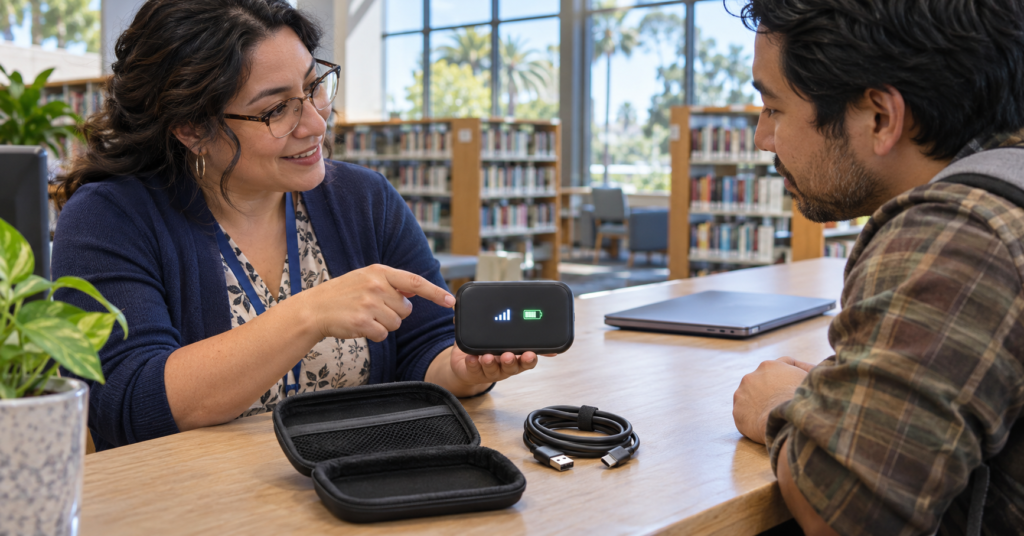
At pickup, check the contents with staff. Identify the charger, cable, case, instructions, and any other accessories that must return together.
Ask where to find the network name and password, how to charge the unit, and which indicator shows its connection status. If you also borrow a computer, confirm how to save your files and remove personal accounts before returning it.
Keep the kit together at home. Separating its cable from other household chargers makes it easier to overlook an item when packing for the return.
Follow the Device-Specific Return Procedure
Return rules can differ sharply between libraries.
Burbank permits hotspots in its book drops. Long Beach requires Tech To-Go equipment to be returned directly to library staff and warns that book-drop returns can result in suspension of borrowing privileges.
San Diego requires hotspot kits to return to the location where they were borrowed, and its lending policy requires electronic devices to be handed to staff.
Check the return branch and opening hours before the last day. This is particularly important around holidays, when your usual evening visit may not be possible.
For a staffed return, allow time for the kit to be checked. Ask for confirmation that the device and accessories have been received, especially if your online account does not update immediately.
Understand Responsibility for Missing or Damaged Equipment
No-cost borrowing does not necessarily mean there are no replacement charges.
Long Beach’s Tech To-Go information states that items 21 days overdue are billed at full replacement cost. Read the technology agreement itself rather than assuming the library’s general fine policy answers every question.
Report missing parts, damage, or a malfunction promptly. Explain when you noticed the issue and keep any instructions staff provide.
Before signing, clarify what happens if the hotspot is lost or stolen, whether accessories have separate charges, and how disputed equipment problems are reviewed. Understanding those terms helps you decide whether the loan is suitable for your circumstances.
Note: California library hotspot availability, eligibility, loan periods, and equipment policies can change. Examples were checked in November 2026. Confirm the current terms with the lending library and read its device agreement before checkout; another library’s rules may not apply to your loan.