California emergency alerts can reach residents through phone broadcasts, local notification systems, television, and radio. However, receiving an alert once does not mean every service has your current contact information or knows which locations matter to you.
A county account may still contain a previous address. A replacement phone may need its settings reviewed. Someone who commutes across county lines may have registered only where they live.
Checking these details before an emergency helps you understand which messages you can receive and where gaps remain.
Understand Wireless Alerts and County Notifications
Wireless Emergency Alerts, commonly called WEA, are messages issued by authorized agencies and delivered through participating mobile networks to compatible phones in an affected area. They do not require an individual subscription. The National Weather Service explains that eligible phones can receive these alerts automatically during an emergency.
County notification systems work differently. They can use registered contact details and saved locations to send calls, texts, or emails.
This distinction matters when you are away from home. A wireless alert concerns the area where your phone receives the broadcast. A local subscription may notify you about an emergency affecting an address you registered, even when you are elsewhere.
Receiving one type does not establish that you are enrolled in the other.
Find the Correct Local Alert Registration
Start with the county’s official emergency management website or the Cal OES county signup directory. Follow its registration link rather than choosing an unfamiliar service from an advertisement.
Cal OES lists alert programs for California counties and notes that people who live in one county and work in another can sign up for both. Most registrations require a mobile number and email address.
Check whether your city also directs residents to a separate system or a particular county registration option. Read what the program covers before assuming that a city newsletter, police social media account, or neighborhood app provides equivalent notifications.
Save the official account login page so you can return to it when your circumstances change.
Check Saved Addresses After Moving
Review every address in an existing alert account. Updating your driving licence, utility account, or postal forwarding arrangements should not be treated as confirmation that your emergency notification profile has changed.
Where the registration form includes a map, check that the selected location matches the property. Pay particular attention to similar street names, rural addresses, and entrances located away from the mailing address.
Decide which older locations still have a purpose. You may want to retain a family member’s address, but an unrelated former apartment can make incoming messages harder to interpret.
Sonoma County’s SoCoAlert system, for example, allows managed-account users to update contact information, notification settings, and additional monitored addresses. Available features differ between local programs.
Choose Contact Methods You Actually Monitor
A correct address is only useful if the message reaches a device or account you check.
Review the phone numbers and email addresses attached to your registration. Remove disconnected numbers and replace work contact details that you no longer use. Complete any verification steps requested by the system.
When several delivery methods are available, consider how they fit your day. An email might be useful while working at a computer, while a call or text may be more noticeable when you are away from it.
Avoid making one household member the only recipient. That person could be asleep, driving, at work, or without a charged phone when a warning arrives.
SoCoAlert identifies outdated contact information and certain telephone access problems among the circumstances that can prevent message delivery. It encourages households to include multiple contact options.
Review Emergency Notification Settings on Your Phone
Check the emergency-alert controls on the phone you currently use, especially after replacing it or changing how notifications are handled.
On an iPhone, government alert options are available through Settings and Notifications, subject to location and carrier support. Android menu names vary, so search the device’s settings for “wireless emergency alerts” or consult its manufacturer’s instructions.
Review ordinary calls, texts, and app notifications separately. A county message delivered through those channels may be affected by settings that differ from the controls for wireless emergency broadcasts.
Consider call screening, blocked senders, notification permissions, and email filtering. If the local agency publishes official sending numbers, follow its guidance for saving them.
Do not assume that every alert will override every silent mode or notification setting. Understand how your particular device handles each delivery method.
Plan for Language and Accessibility Needs
Choose notification methods that each household member can use reliably.
Someone who cannot hear a phone call may need text, vibration, or another accessible option. A resident who has difficulty reading a small screen may prefer voice messages. Ask the local emergency management office which language and accessibility options its system supports.
Discuss who can help interpret a message or arrange transportation, but avoid making that person the household’s only source of information.
Also distinguish registration from assistance arrangements. Signing up for alerts should not be treated as confirmation that emergency personnel know your mobility needs or will automatically arrive to help you leave. Ask separately about local planning resources and make practical arrangements with trusted contacts.
Learn What Evacuation Messages Require
Receiving California emergency alerts is only part of being prepared. Residents also need to understand the action described.
Cal OES uses these distinctions:
- An evacuation order means an immediate threat to life and directs people to leave now.
- An evacuation warning identifies a potential threat. People who need additional time, and those with pets or livestock, should leave at this stage.
- Shelter-in-place instructions direct people indoors and may require closing doors and windows while awaiting further guidance.
Read the complete message, including the affected area and any directions specific to the incident. If your community uses evacuation zones, find your zone through its official map before an emergency.
Do not wait for a second notification to confirm an instruction that already applies to you. Follow current directions from local officials.
Prepare for Power and Network Interruptions
Several notification options on one phone still depend on that phone being available.
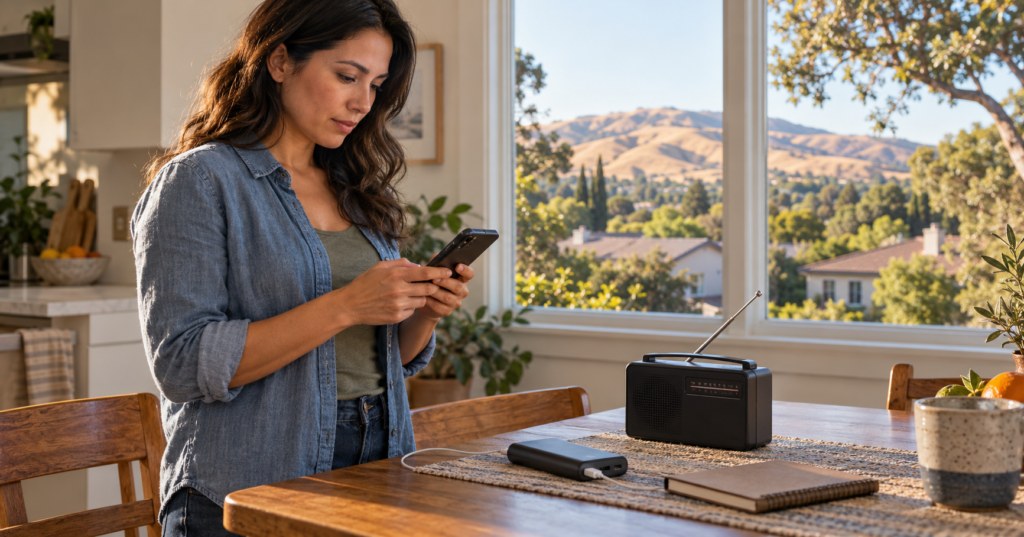
Keep a charged power bank accessible and identify another way to receive official updates, such as local radio. FEMA describes an alerting system that uses multiple technologies, including wireless messages, broadcast channels, and NOAA Weather Radio.
Write down essential contact information and agree on a household check-in arrangement. Consider what happens if people are separated or cannot access their usual messaging app.
Apartment residents should also understand how an interruption affects their building. TCG’s guide to California apartment outages covers practical issues involving entrances, elevators, garage access, and phone charging.
A notification is more useful when you already know how to act on it.
Use Official Tests to Identify Problems
When your local agency announces a test, read its instructions carefully. Find out which notification system, geographic area, and contact methods the test covers.
Afterward, check which messages arrived. If an expected notification is missing, review the account information, relevant phone settings, blocked messages, and email folders.
Contact the program’s published support channel if you need help. An unsuccessful test does not necessarily identify one particular fault, and receiving a test does not guarantee every future message will arrive.
Do not call 911 simply to check whether your alert registration works.
Check the Time and Source of Forwarded Alerts
Screenshots can continue circulating after conditions change. Before forwarding one, look for its issuing agency, timestamp, affected location, and current status.
Use the agency’s official incident page or alert feed to find updates when it is safe to do so. A message affecting another neighborhood may be important context without applying to your address.
Similarly, silence from your phone is not an all-clear. Remain aware of local conditions and official instructions, and do not delay protective action when danger is apparent.
Set a reminder to review registrations when you move, change numbers, replace a phone, or take on responsibility for another household member. Those ordinary changes are practical opportunities to keep your notification arrangements useful.
Note: Alert systems and registration options vary by jurisdiction. Use the Cal OES county alert directory to find your local program, and follow current instructions from emergency officials during an incident.